
They only post one or two ads. And each one usually gives six votes. I showed them an example with images, and in that case, they gave me seven votes. It was a special case, I suppose.
I will now explain how to do this.
1) Go to the "Votes" section.
When you're on the "Votes" page, you have to scroll down until you find an ad. Sometimes you have to scroll quite far down, to where the closed polls are listed, and there's usually an ad there. I recommend always scrolling all the way down to check if there's another ad.
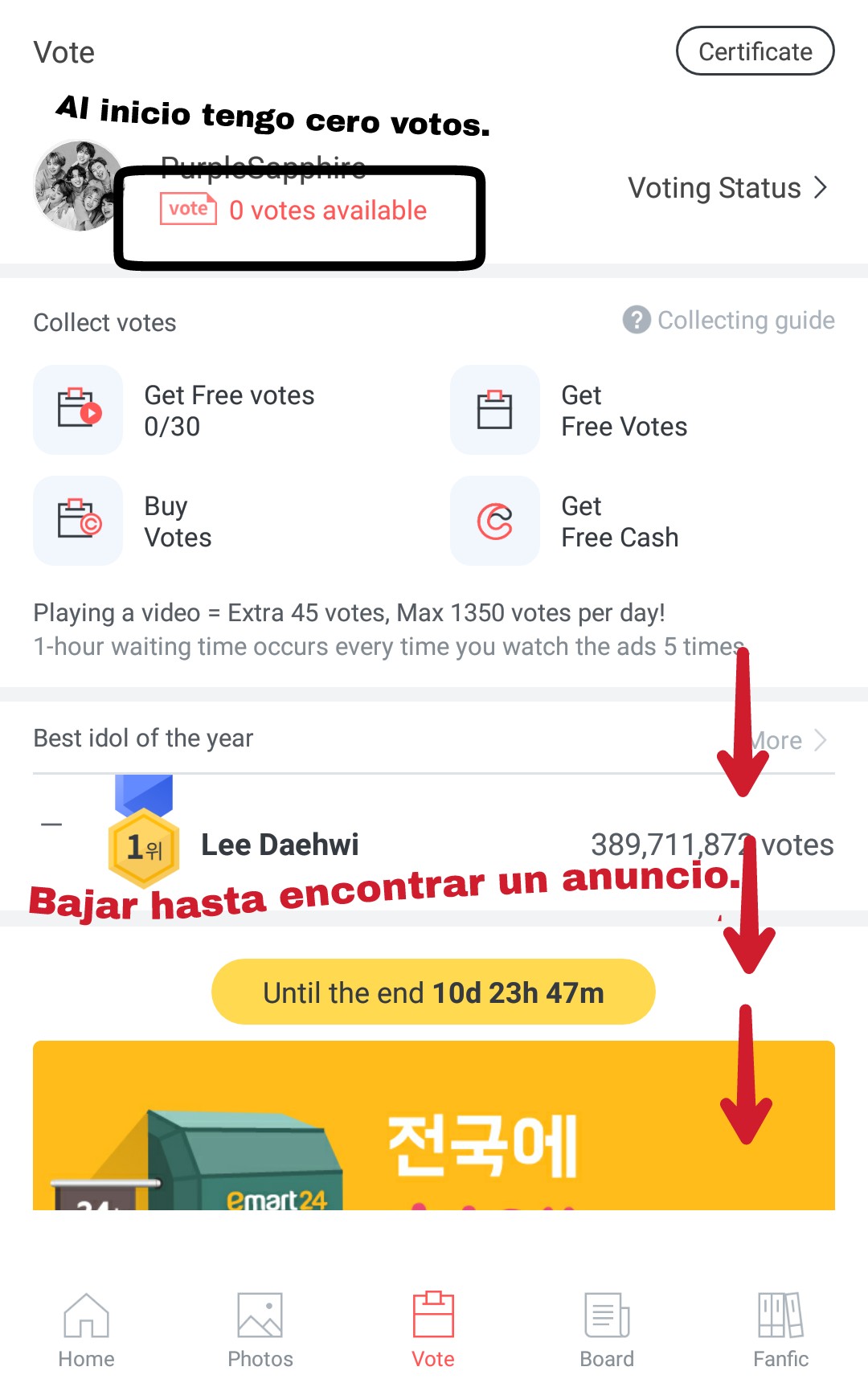
2) Click on the ad.
When you find the ad, you have to press the red or orange button, I don't know what color you see it as...

3) See the advertisement.
Clicking the button above will immediately open the ad in your browser. You don't need to do anything here; just wait for the ad to load completely. After that, you can close the ad or delete that browser tab.

4) Go back to FanPlus, and check the votes.
When they close the ad, they go back to FanPlus. And they'll see that they've received 6 votes. In this case, I received 7 votes. But they usually receive 6.
When they return, they'll see that the button that was red has turned gray. This means they saw the ad. And they won't be able to see it again to get votes. It will only give them votes once.
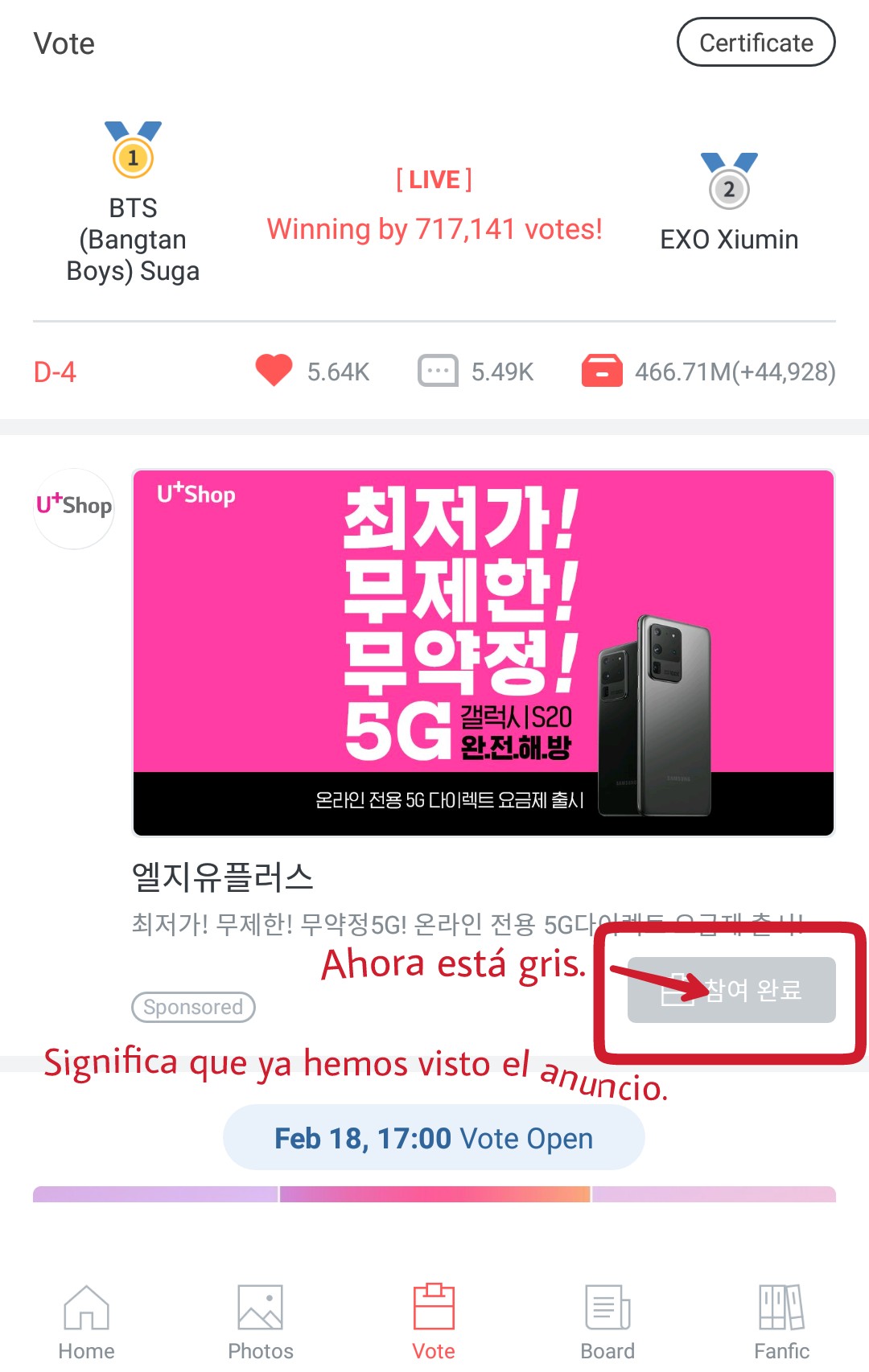
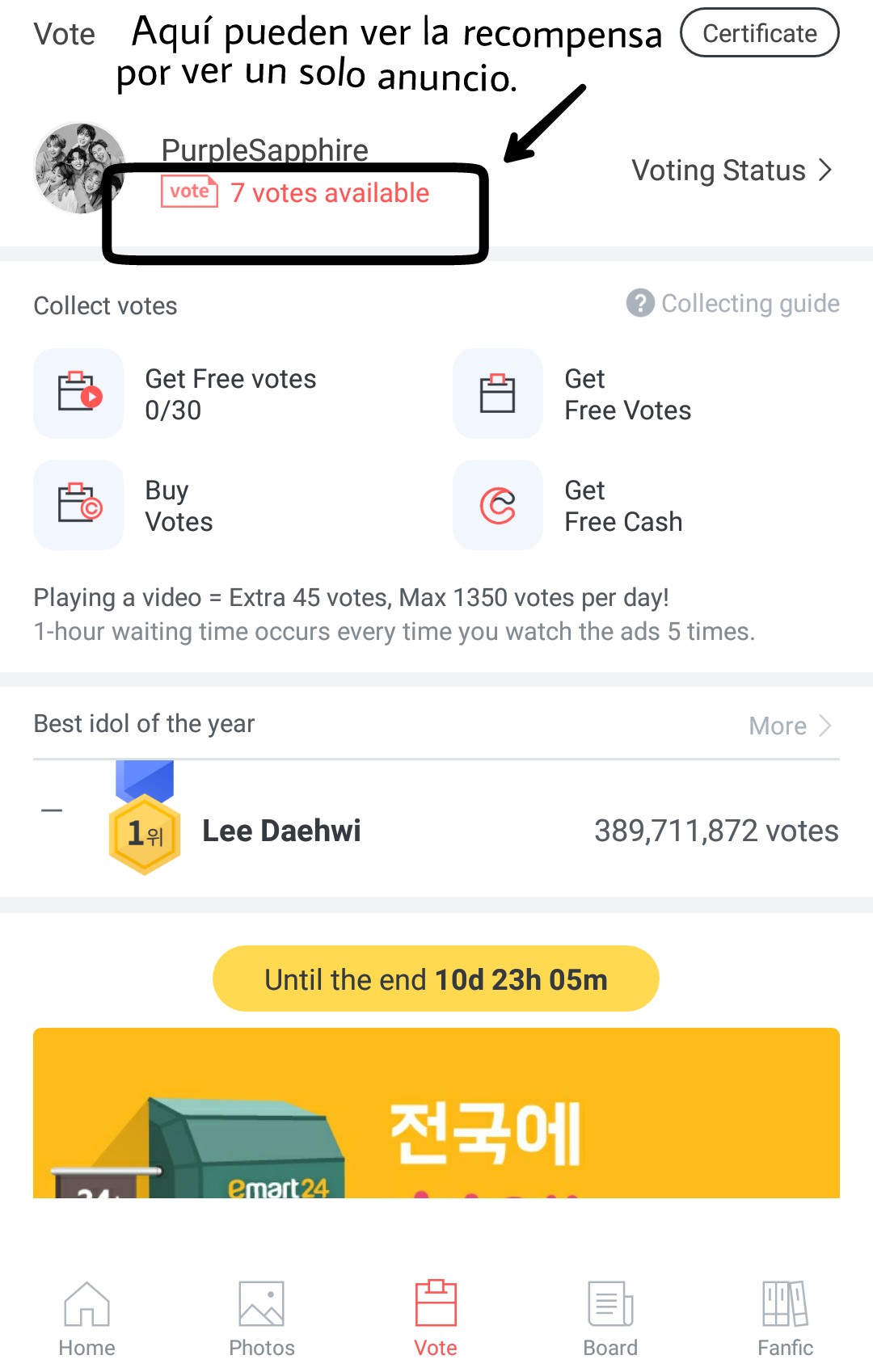
You can see as many ads as you like. It usually shows ads sporadically throughout the day. I recommend checking for ads every time you open the app. Even if you don't vote a lot, every little helps.
That's all there is to it. It's quick and easy, so take advantage of it.
You know, if you have any questions, you can comment.
Take care of yourselves, and don't forget to stream on different streaming platforms.
Fighting ✌🏼