
As you may have noticed, some people use a voting certificate as their profile picture.
This is done to show that our votes are for Bangtan. And at the same time, it helps to identify people from other fandoms who are pretending to be ARMY.
In this chapter I will show you how to obtain your certificate.
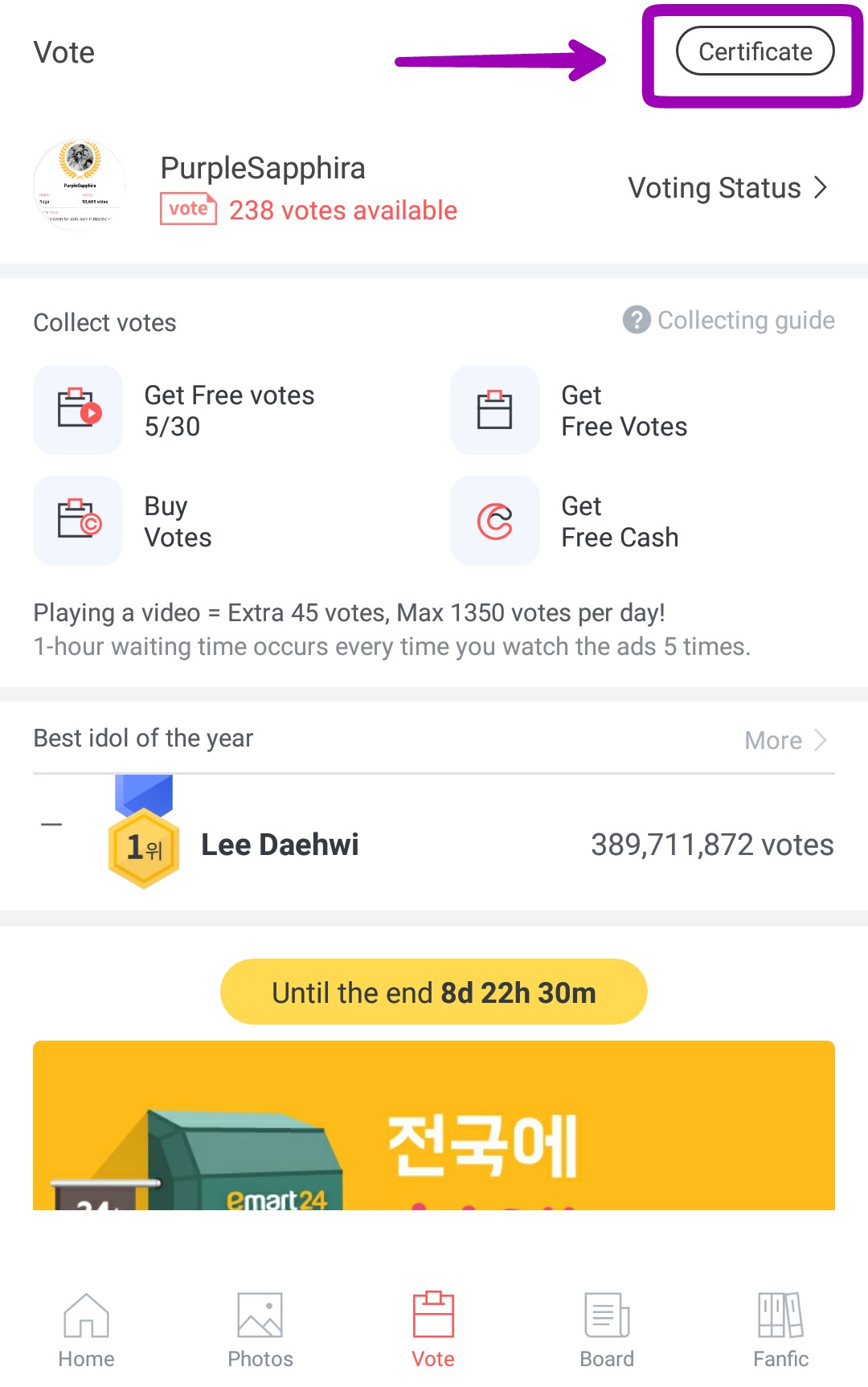
1) Go to "Votes".
Once you're in this section, look for a small box that says "Certificate." It's in the upper right corner of your screen. Click on it.
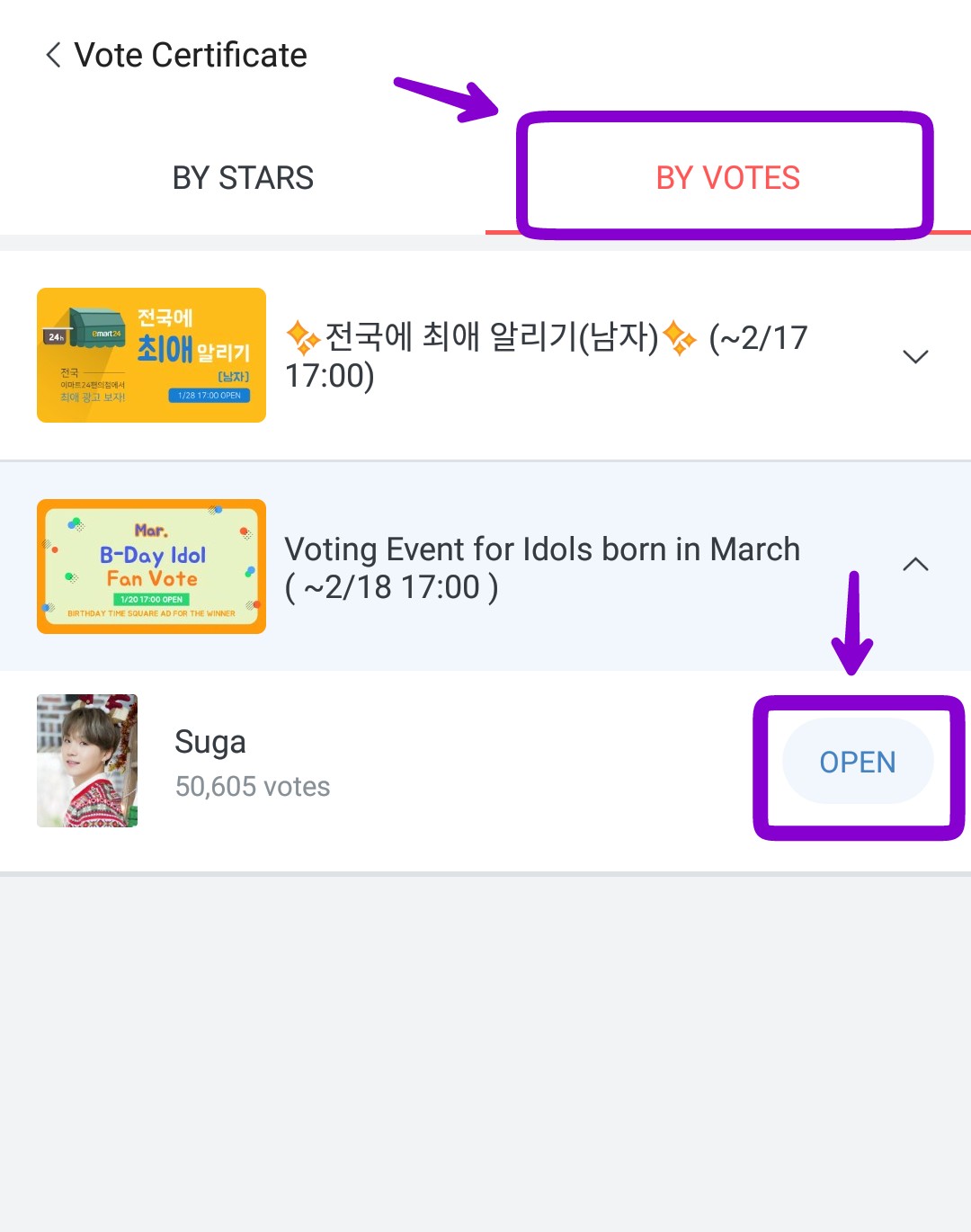
2) Ir a "By votes".
When you enter Certificate, you'll see two tabs. Go to By Votes. There, click on the vote for those born in March. Suga will appear, and next to it, it says "Open"; click on that.
3) Save the Certificate.
Just click Save. If you can't save it because it asks you to enable permissions, just take a screenshot; don't overcomplicate things. Then use that as your icon.
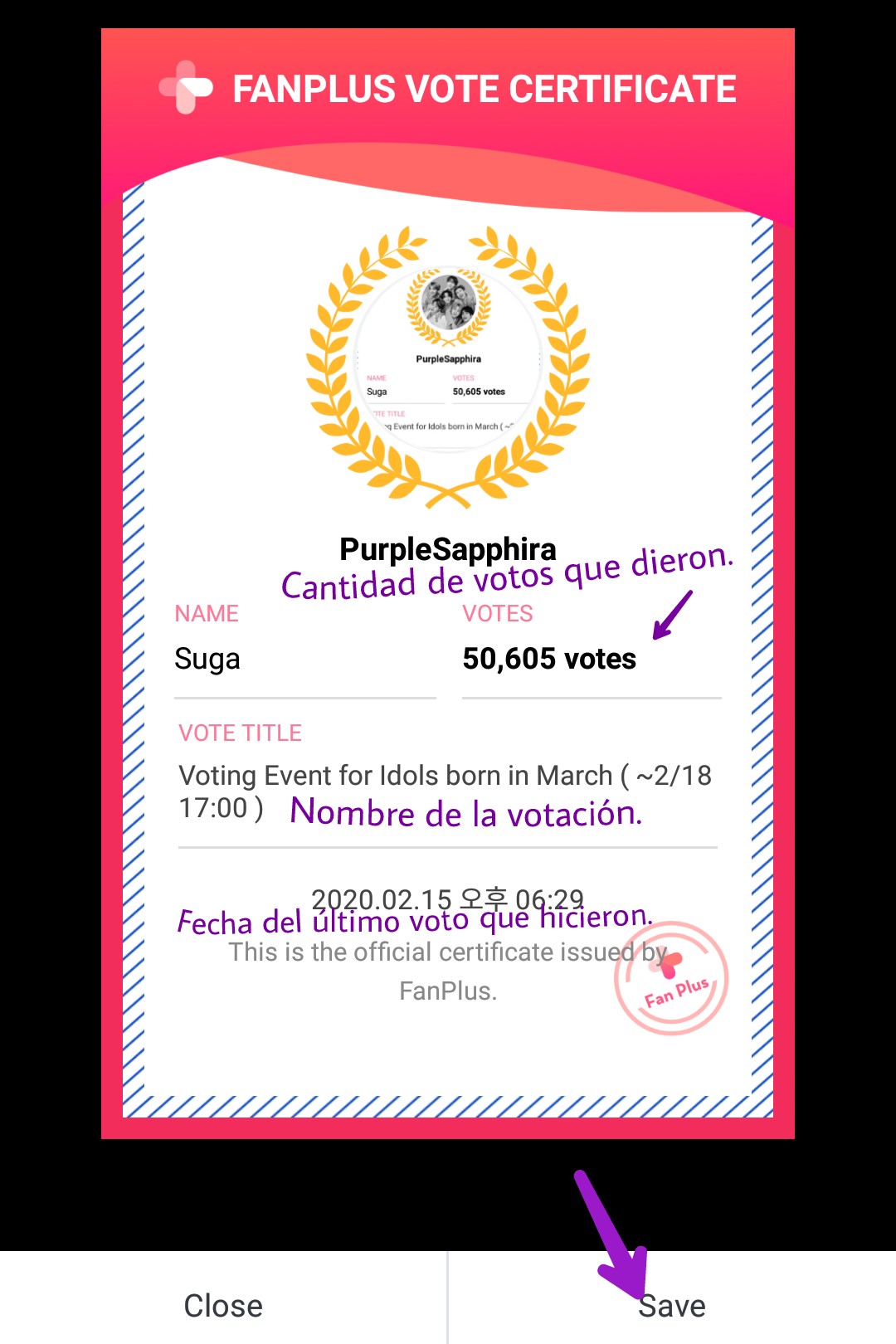
Everything has to be checked. From their name to the date they cast their last vote.
👉🏼 Please add this certificate to your icon. It's a badge we're using to identify who votes, who's a true ARMY... 👈🏼
👉🏼 I want to clarify that the certificate has to be aboutSugarBecause right now he has priority. You know..👈🏼
Important clarifications.
A) You need to display your certificate as an icon. If you don't, you won't be added as a friend. This is for security reasons.
B) Do not add people who don't have the certificate displayed; you already know they might be people from the other fandom pretending to be ARMYs. Let's not give votes to the opposing side.
-----------------------------------------------------------------
I hope this helps, feel free to comment if you have any questions.
Fighting ✌🏼