The first thing is:
A) CONFIRM PHOTOS.
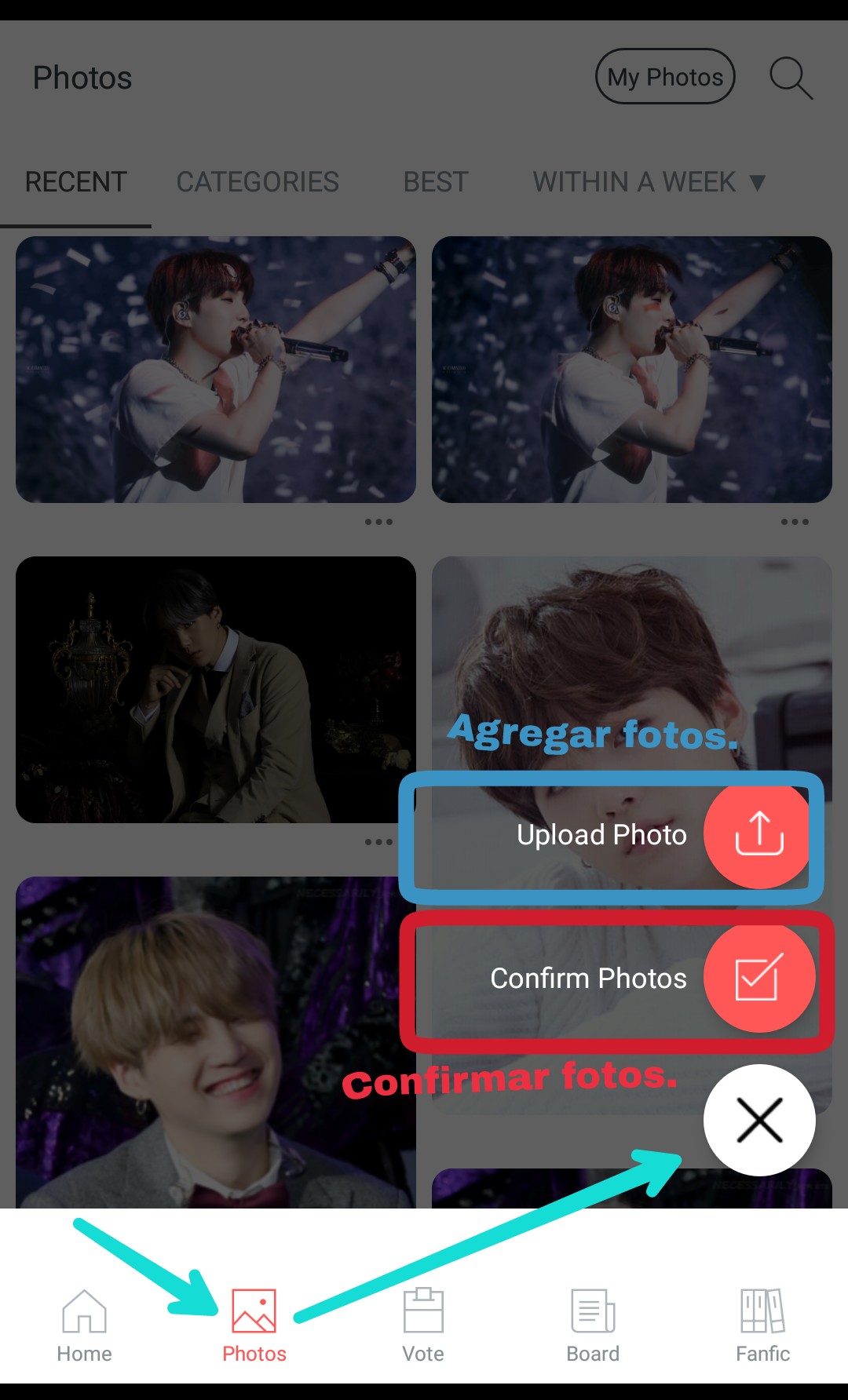
1) Go to the "Photos" section. A cross will appear at the bottom right of the screen.
2) You will see two options, one of them is "Confirm Photos" that is the one you should choose.
3) Then a message will appear giving you two options. "Confirm Photos" is the one you should choose to confirm photos."Cancel" you must choose if you don't want to do it.
4) Check the data and the photo that will appear. Here you will have to verify that the data entered by the user who uploaded the photo matches what is seen in the photo.
Here's a brief explanation and I've attached images so you can see what they're asking you to do.
✓First: Verify that the person matches what is shown in the photo. In this example, I was asked if Suga was the person in the photo, and I answered yes. You answer according to the photo you are given.
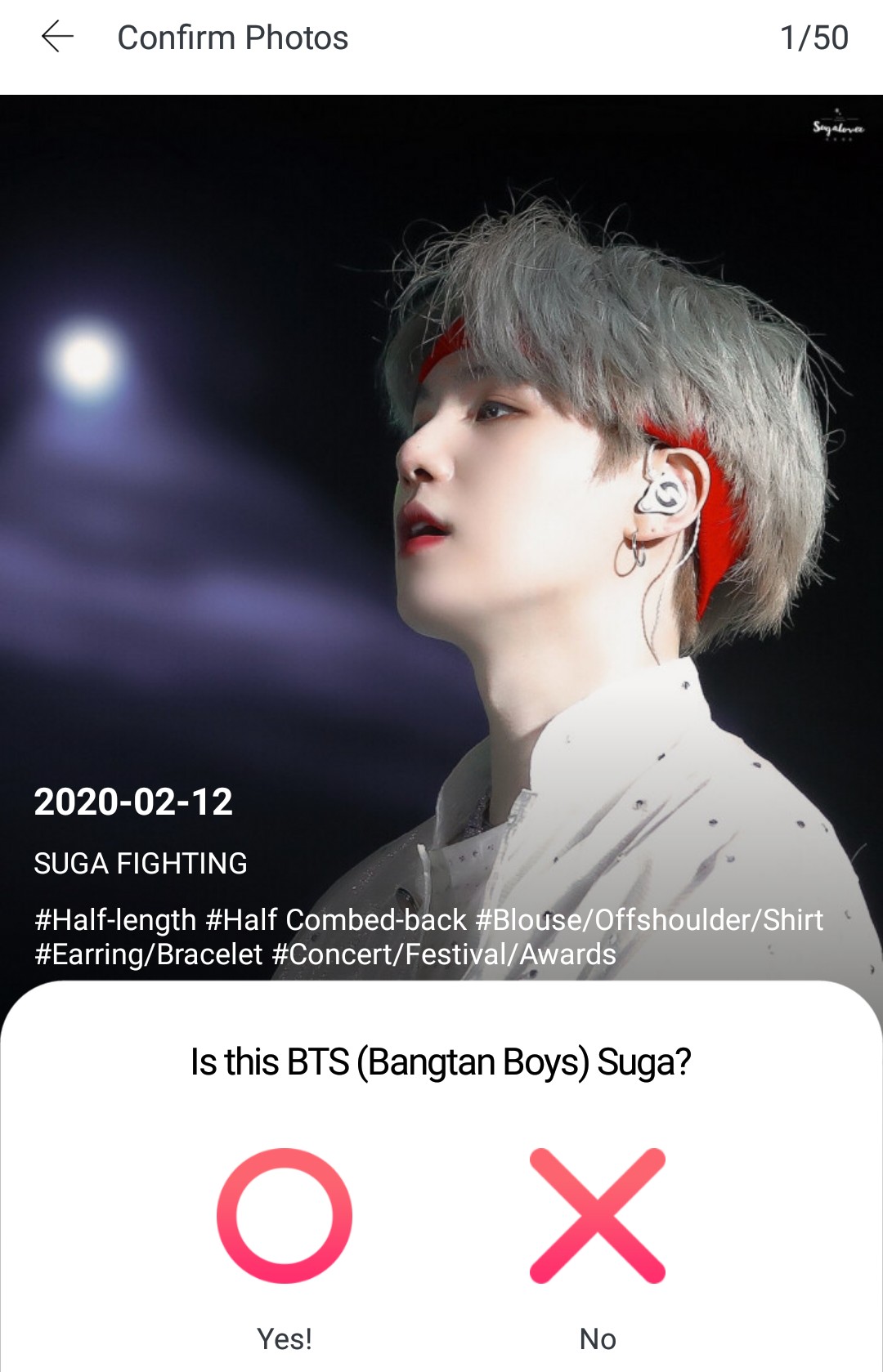
✓Second: Verify that the date is correct. If the user who uploaded the photo entered the date it was taken, the app will ask you to confirm that the date is correct. I always select "I don't know" here, because you have to enter the exact date—the day, month, and year. And honestly, I never remember the exact day the photo was taken.
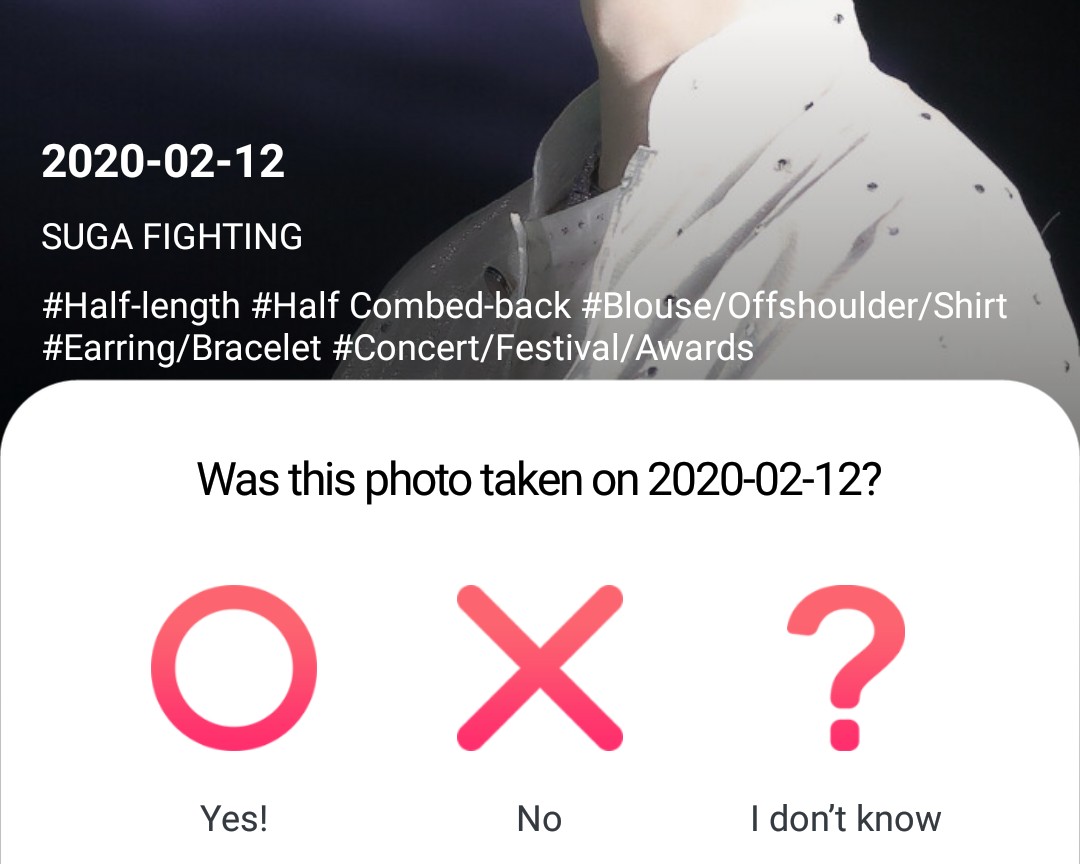
If the user didn't enter a date, the app will ask if you know the date the photo was taken. This example I'm showing is a different photo than the previous one; in this case, the user didn't enter a date, and I didn't know it, so I chose the "No" option.
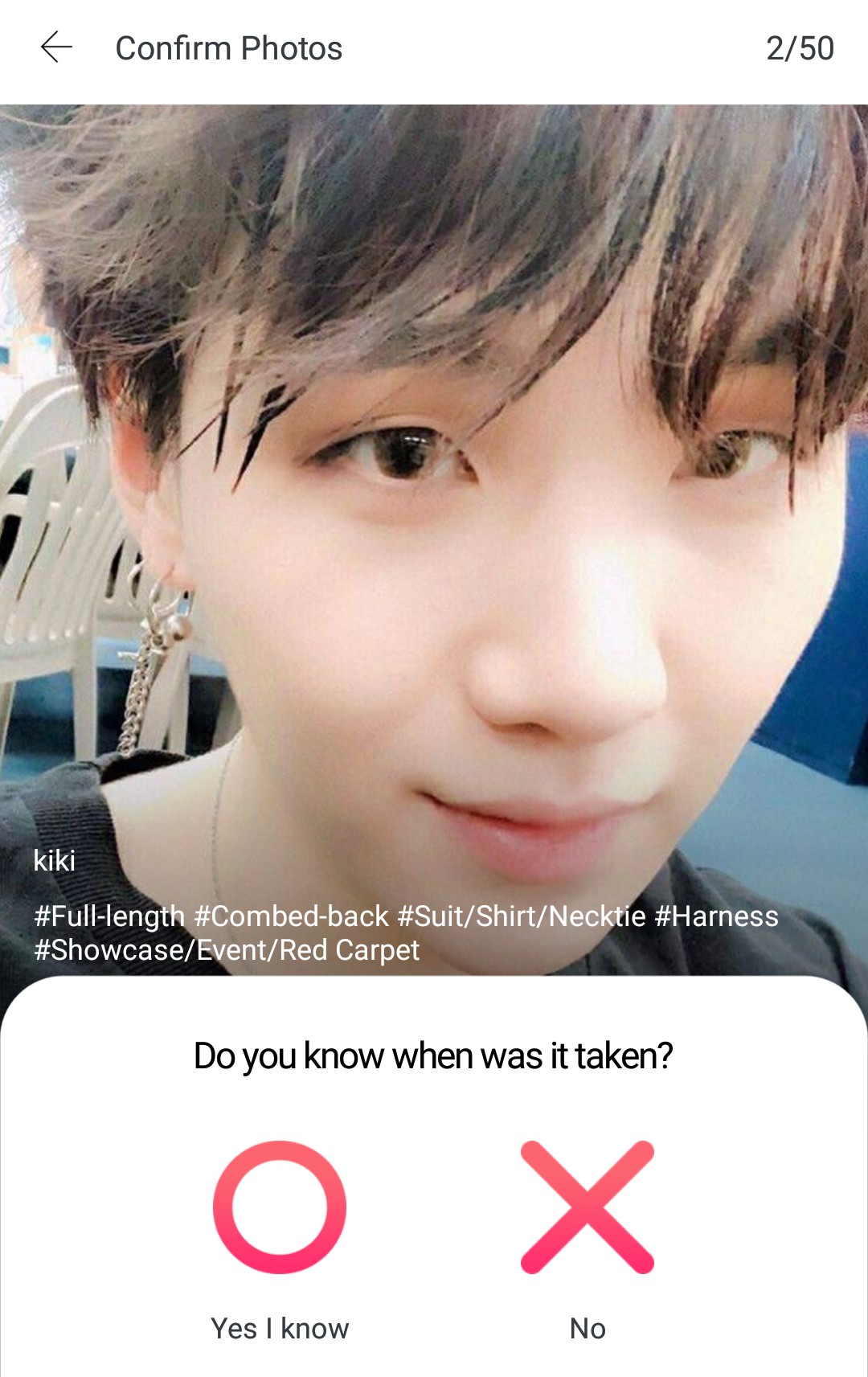
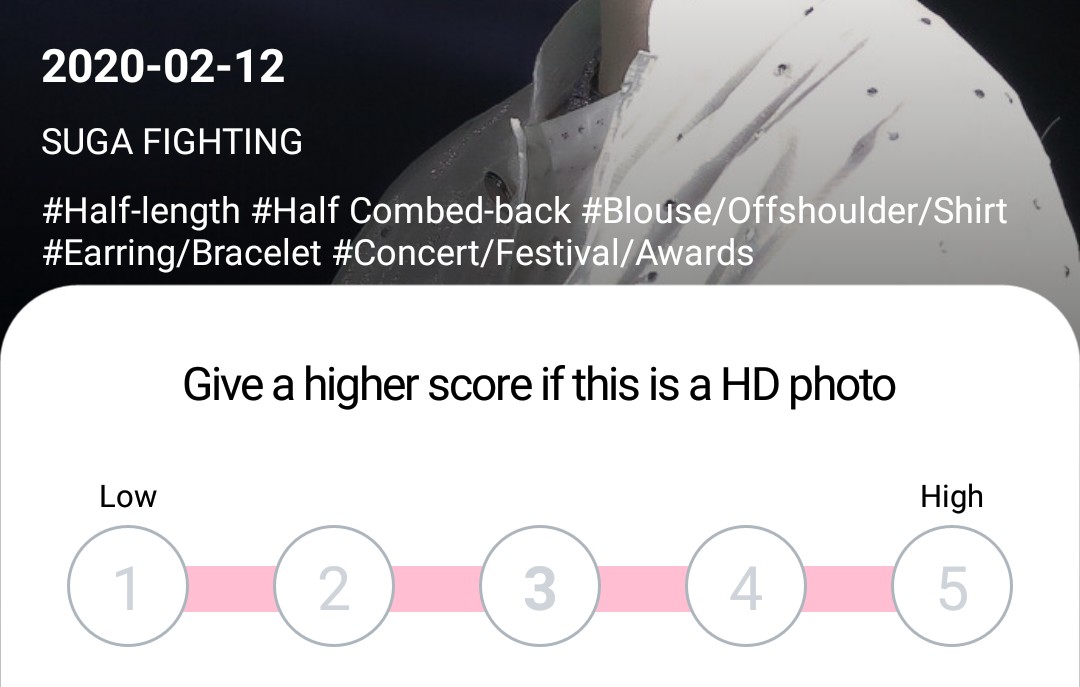
✓ Third: Rate the quality of the photo. You can rate the quality of the photo from 1 to 5. This is at your discretion.
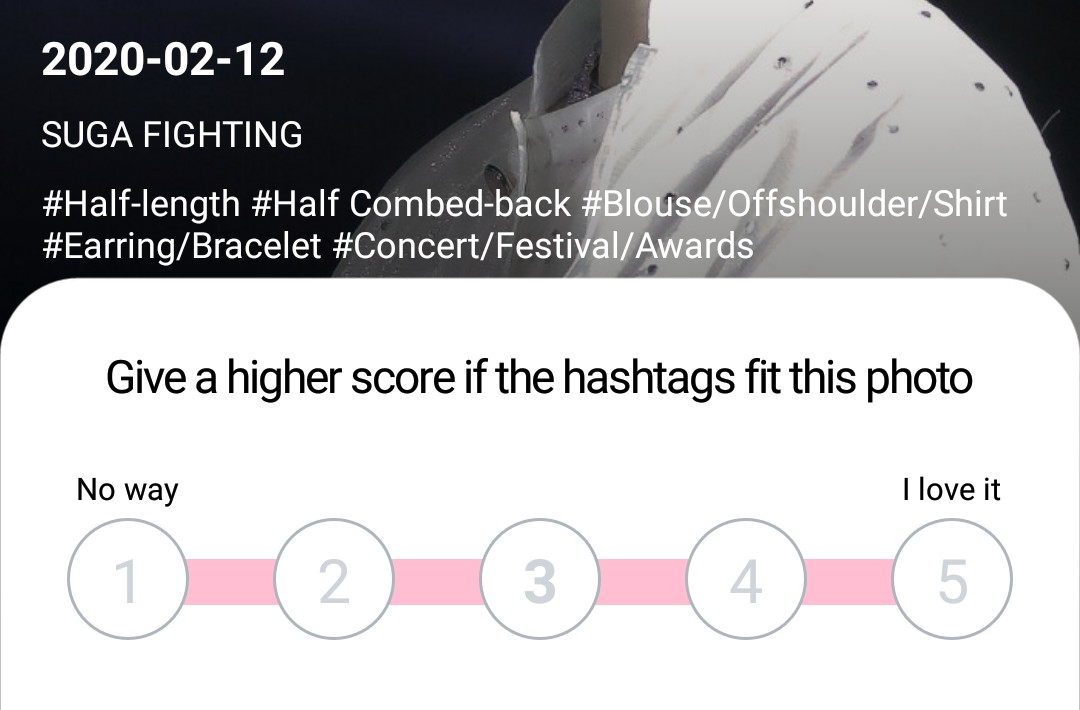
✓Fourth: Verify that the hashtags the user included correspond to what is seen in the photo. The hashtags indicate details about the artist in the photo, such as the accessories they are wearing, hair details, whether the photo was taken during a comeback or a show, etc. This is also evaluated with a score from 1 to 5.
That's all that needs to be verified. This is repeated until verified.50 photos.Once you have finished taking all the photos, you will receive100 votesin your inbox. Verify photos and get votesIt can only be done once a day.
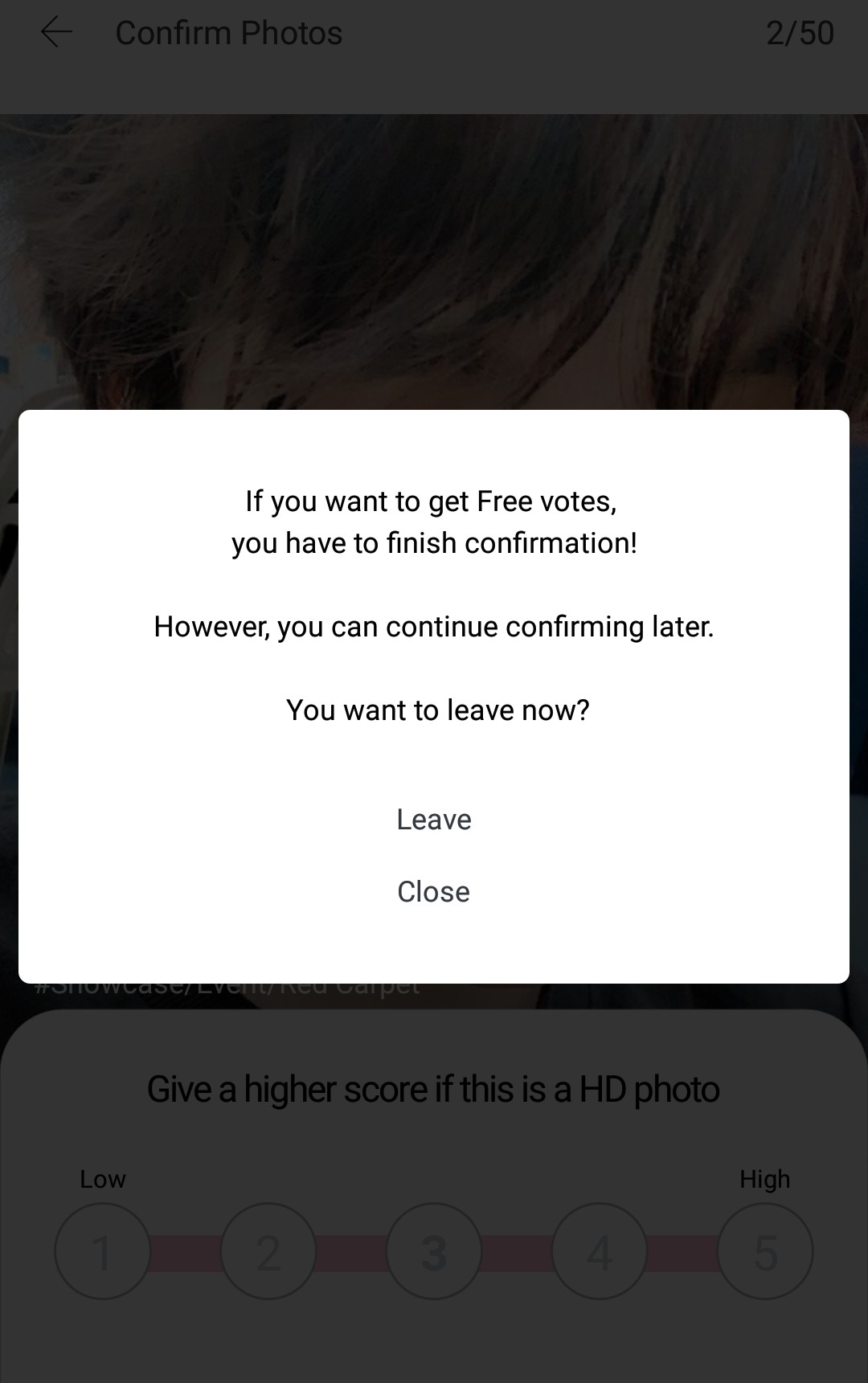
>>>To receive the 100 votes, you must confirm 50 photos. If you leave before then, you'll see a message warning you that you must finish confirming to get free votes. To continue, press "Closet". To leave, press "Leave".<<<
If you have any questions, please comment so we can help you.
~ Fighting ARMY~ ✌🏼