The second thing we can do with the photos is:
Confirming 50 photos can be tedious, boring, tiring, and for this very reason many people don't do it.
And if they don't confirm photos, they don't get votes. And if they don't get votes, they can't vote for Bangtan. And if they vote for Bangtan, they won't win. In short, if they don't get votes, they're not doing their part.
One way to help is by uploading photos.
When they upload photos, other ARMYs have material to confirm. If there are no photos to confirm, the app won't give the votes, because50 photos must be confirmed..
Now that we've clarified why it's also important to upload photos, I'll explain the steps to do it.
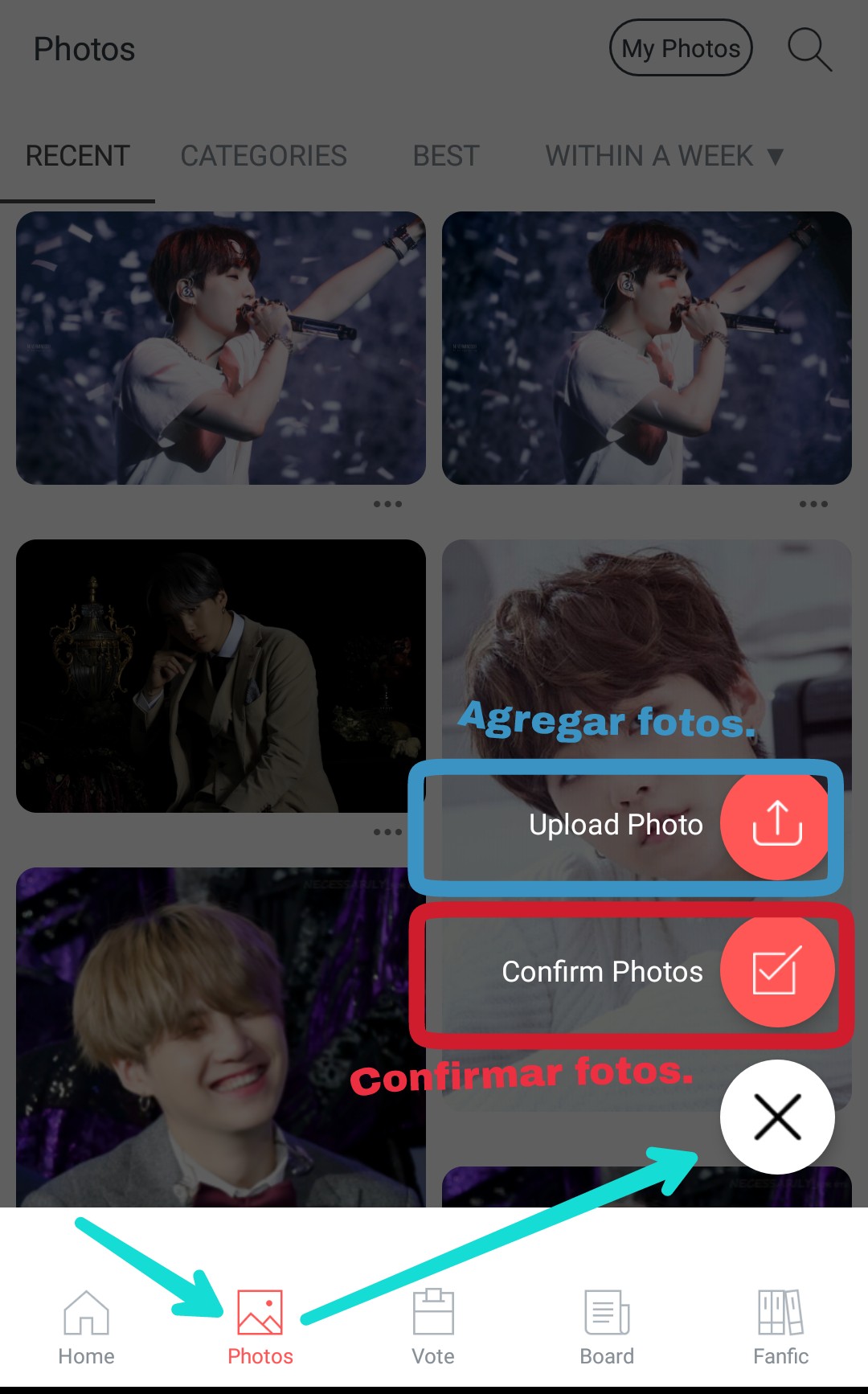
1) Go to the "Photos" section.
A cross will appear on the bottom right of your screen. You have to tap it.
2) Select the "Upload photo" option.
I've included an image to help you understand better. I've marked the option in blue. That's where you need to tap.
3) Choose the photo.
The app will automatically take you to your gallery so you can choose the image you want to upload. Here, you choose the one you like.
4) Include information about the photo.
When they choose the photo, the app will ask them to fill in certain details about that photo.
Now I will show you with images what data they ask for to upload photos.
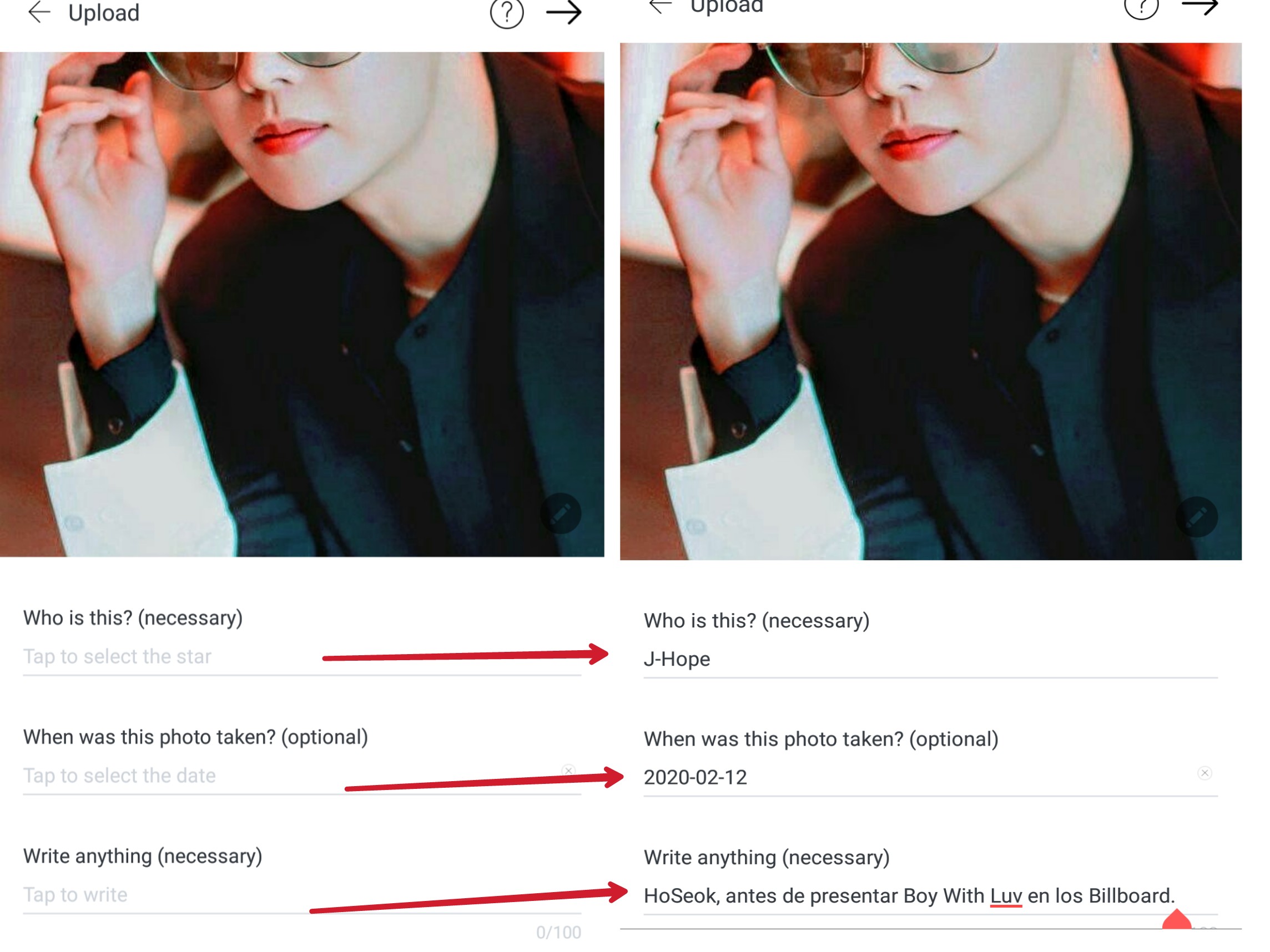
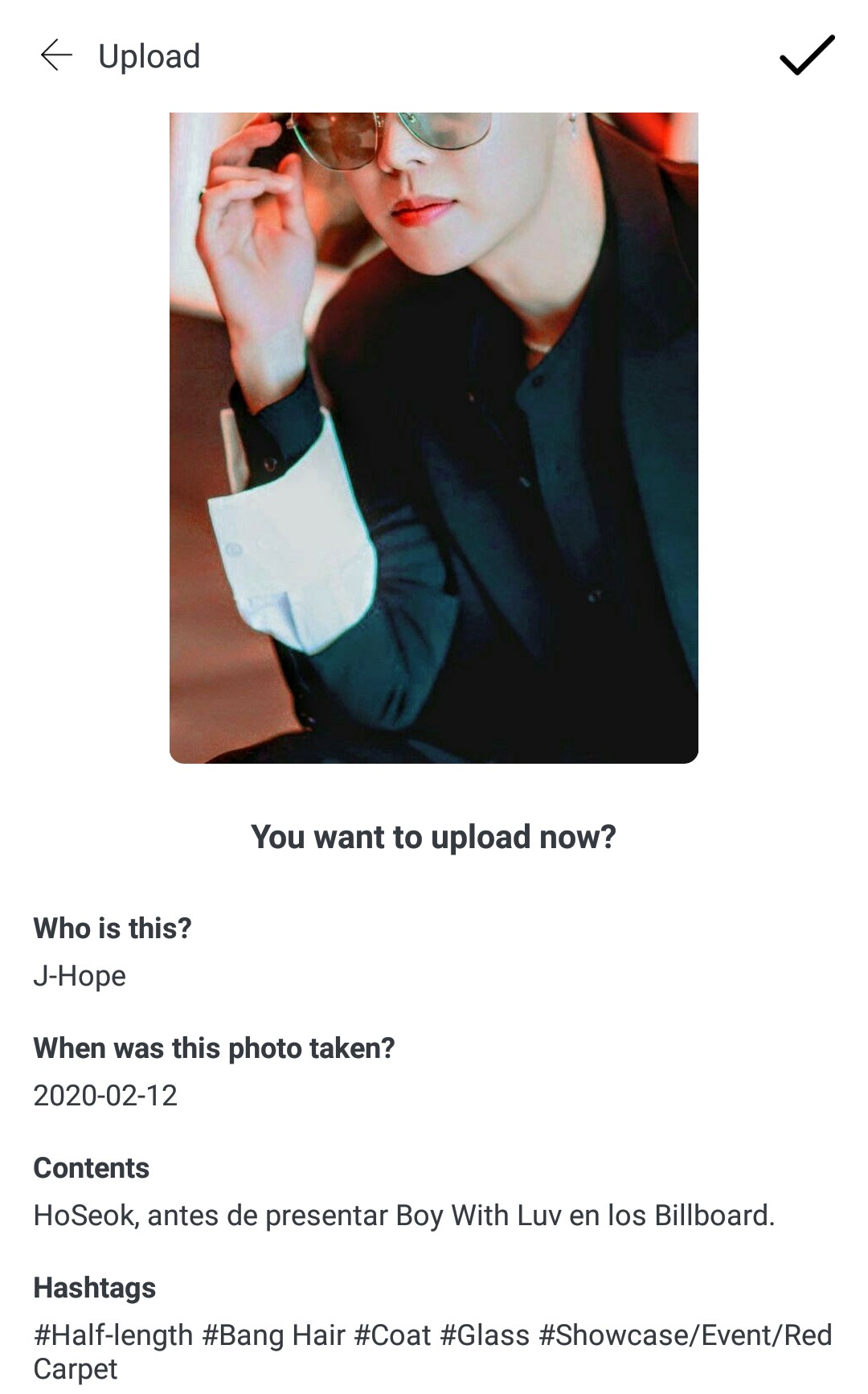
✓ First: Fill in the requested information.
MustPlease indicate who the photo is of. This is mandatory. In my example, which I'm showing you in the photo, I chose a photo of Hobi and the name I have to put is J-Hope.
Below, we need to indicate the date the photo was taken. This is optional. In my case, I put the current date because I don't know exactly when the photo was taken. But that's incorrect; if we don't know when the photo was taken, we skip that step.Finally, it asks us to write something about the photo. You can put whatever you want here. It's mandatory. In my case, I clarified that the photo was from the Billboard Awards.
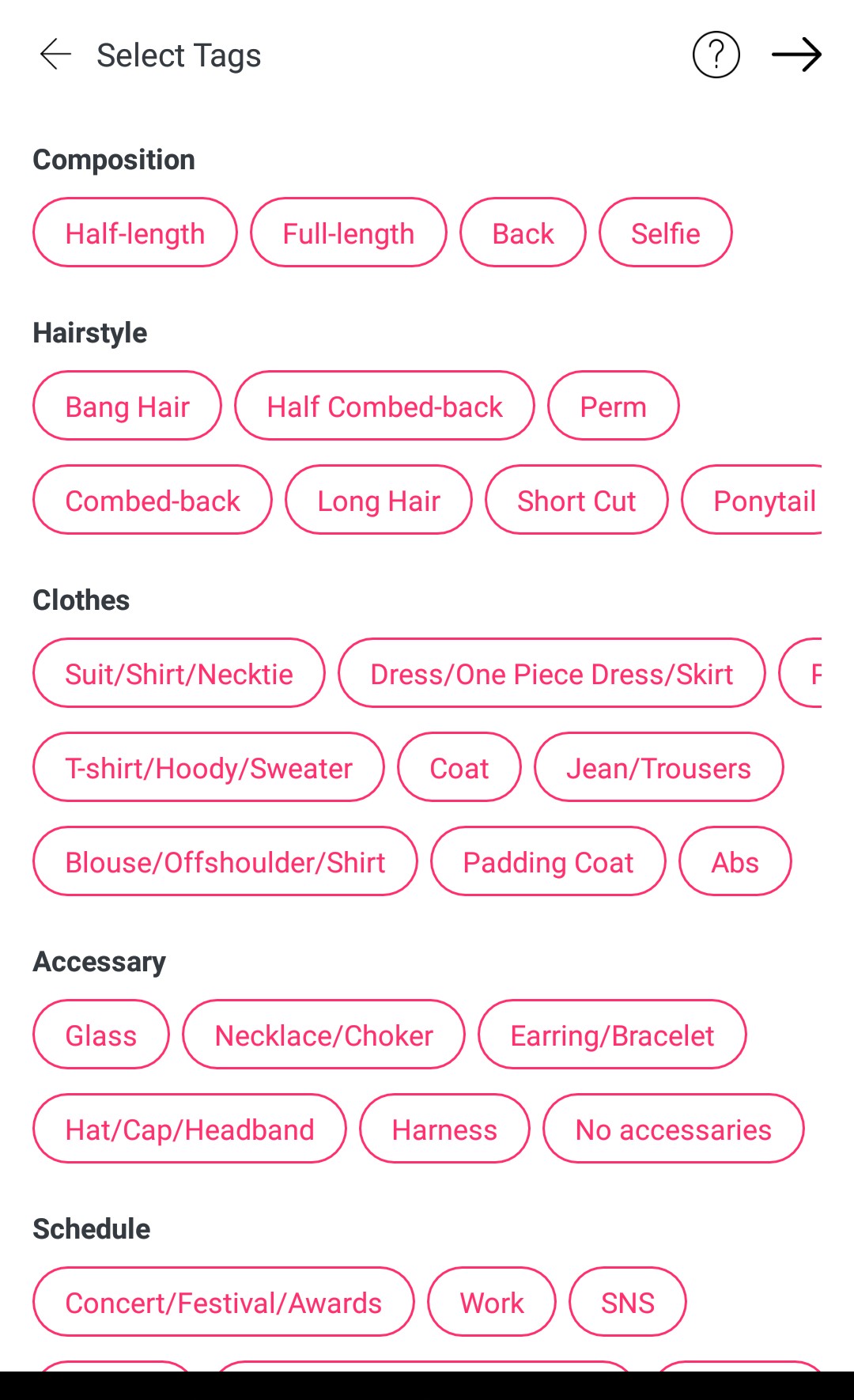
✓Segundo: They will be asked to add hashtags.
These hashtags indicate details about the photo, such as the artist's accessories, clothing, and hairstyle. Depending on the photo you want to upload, you mark the hashtags that correspond to what the artist is wearing. There's also a hashtag to indicate if the image was taken at a comeback, concert, awards ceremony, etc.
✓Third: When they finish, the app shows them the data and the hashtags they chose. It then asks if they want to upload the photo. They have to tap the checkmark (✓) that appears in the upper right corner of their screen.
When you finish uploading a photo, a message will appear asking if you want to continue uploading photos, if you want to go to confirm photos, or if you want to leave this section. It's your decision.
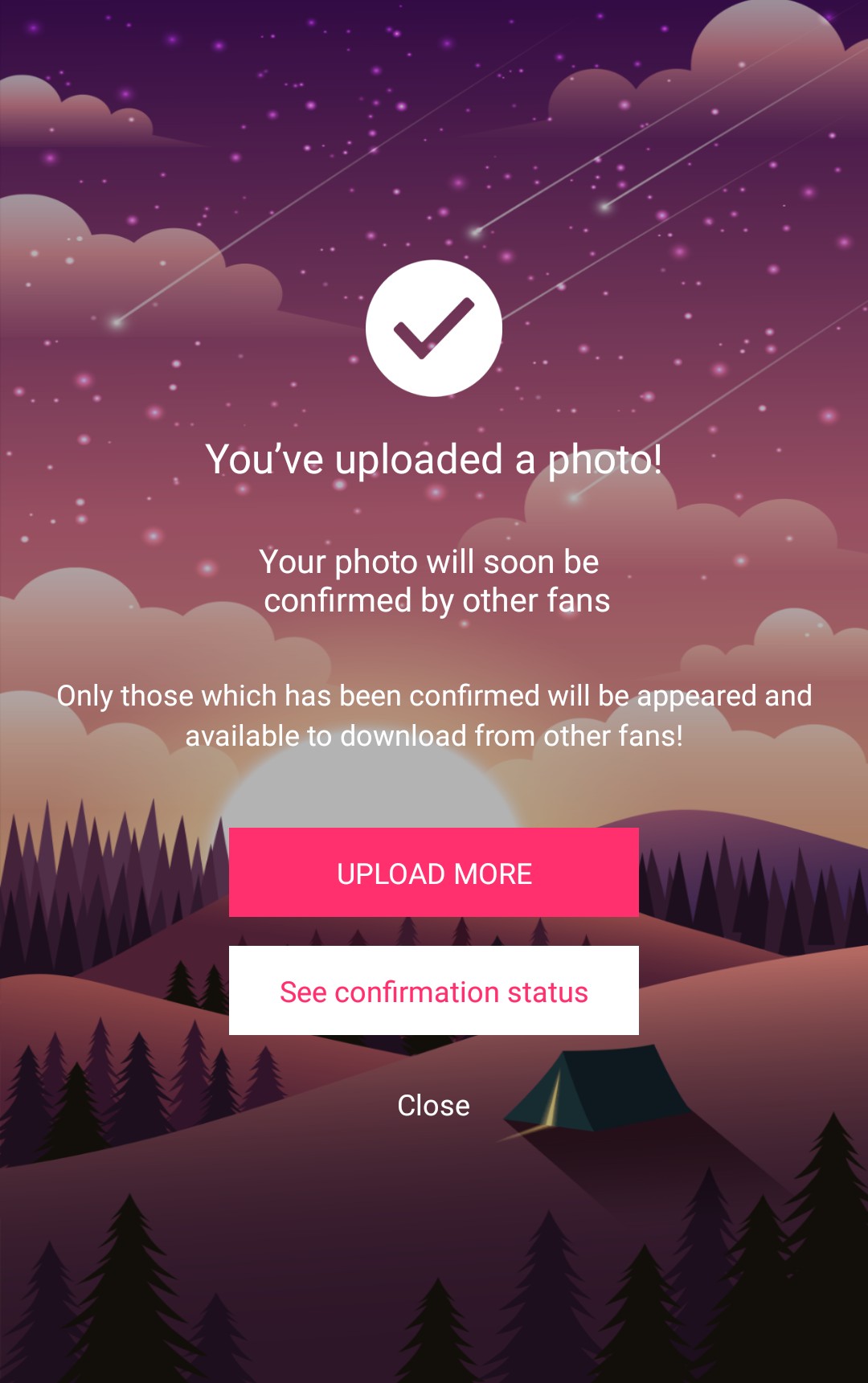
When you upload a photo, you have to wait for someone to confirm it. Once it's verified, your photo will appear in "Photos" for others to see. You'll receive a notification when your photo is successfully confirmed.
If you have any questions, please let me know so I can help you.
~Fighting ARMY~ ✌🏼