
 Today I'm going to use an app called Snow!!
 Click on the one on the bottom left that says “Correction”!!
Click on the picture you want!!
 Again, click on Correction-Makeup at the bottom left!!
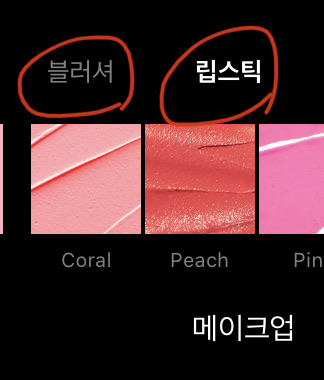 Click on the lip or blusher you want!!
You need to reduce the blusher a bit to look pretty!!
Then click check and it will come out
 Click this to come back out!! And if you go a little to the side, there is an adjustment.
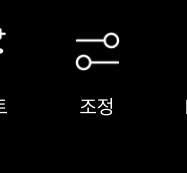 If you click this, it will appear like this
 Lux - Darkening effect - Pressing it automatically increases it to 50 -
Adjust to around 30~50
Brightness - Adjust the brightness of the photo - Set to 10 or less
Contrast - This one also makes it darker - Adjust to 30 degrees
Saturation - you all know what it is, right? It's something that makes a color more intense.
Adjust to 10 or less
Clear - the picture is much clearer!! - about 30?
Highlight - Brightens the face - about 15~20
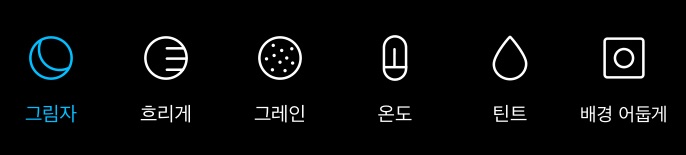 In my opinion, shadows are the most important in correction🥥🥥
Shadow - darkens dark colors (hair, etc.)
- About -30 (minus 30)
Blur - Blur the photo - Not used
Grain - This is the most mysterious thing, what's going on?
 Like thisㅠㅠㅠㅠThat's why I don't use it
Temperature - Makes the photo look warm - Slightly yellowish - 15~20
Tint - Warm - Slightly pink - 10~15
Dark background - The background gets darker - I guess I should say that the person stands out more... - I don't use it
Haha, let me summarize
Snow
Beauty:
Makeup - Lip Blusher Adjustment
adjustment:
Lux 30~50
Brightness 10 or less
Contrast 30
Saturation 10 or less
Clearly 30
Highlights 15-20
Shadow -30
Temperature 15~20
Tint 10-15 (optional)
Today's assignment✏️
Review💗
Class isn't over yet, is it...? Especially Taeyeon, who is so iron-clad...


![MOVIE [I Want to Have an Ordinary Love Like a Movie] thumbnail](https://cdnetphoto.appphotocard.com/fanfic/1132818/20319/thumbnail_img_20180722055743.png?width=93&height=62&format=webp)


