
Do Mission Via PINCRUX
Voting tickets for fanplus can be earned more with do mission via PINCRUX. You can go to "Vote" page > click the "Do Missions" > select "Get votes via PINCRUX". Why choose PINCRUX?? Because some of missions from PINCRUX only require us to follow a instagram account, subscribe a youtube channel, like a facebook page, or subscribe to a naver channel.
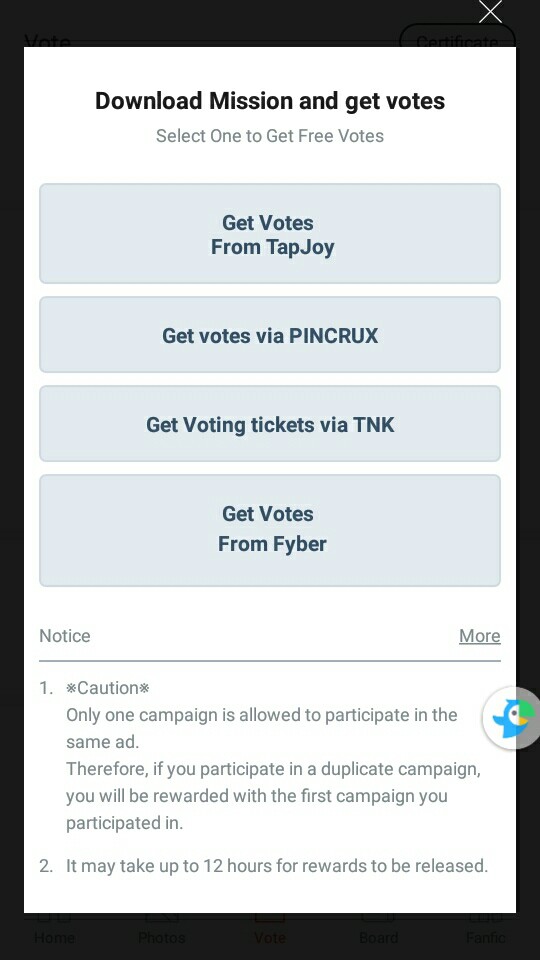
The missions in PINCRUX are all written in hangul, so you will need translation's help. I recommend you to use "papago" for translate hangul to english.
Follow the Instagram account: follow the Instagram account
Subscribe to YouTube: subscribe to the YouTube channel
Like the Facebook page: like the Facebook page
If you set it up on Naver, it will be immediately subscribed to: subscribe to the Naver channel


-----------------------------------------------------------------------------
# Follow us on Instagram: follow the instagram
Step 01 : Press follow button after you logging in to instagram
Step 02: Capture/take a screenshoot
Step 03: Submite the screenshoot. Press "Select File" to upload the screenshoot
Step 04: Follow confirmation
If you get this "팔로우 확인 왈료" notice, it means "Follow confirmation completed". You success to do the mission ✨.

-----------------------------------------------------------------------------
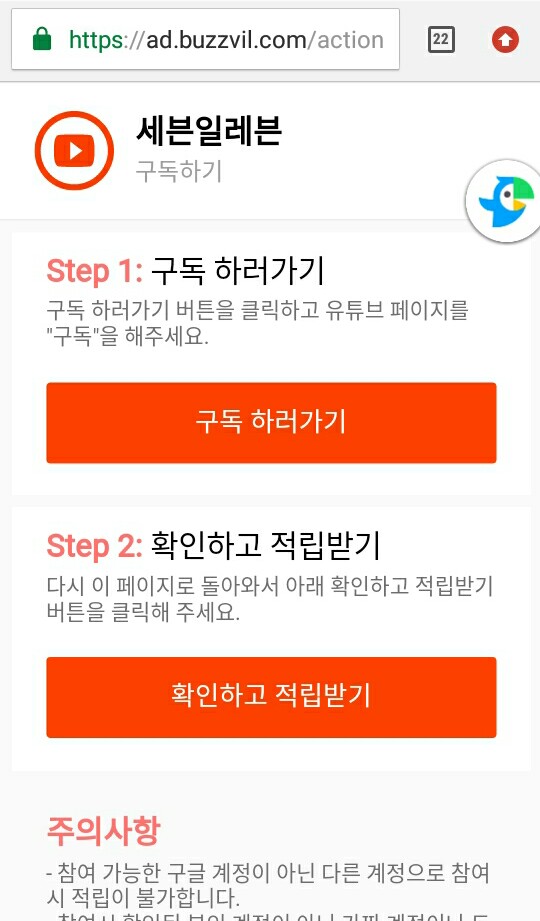
# Subscribe to YouTube: subscribe the youtube account
Step 01: Go Subscribe. Press the red button then subscribe the youtube account.
Step 02: Please comeback to this page, then check step 02 and click the red button to earn points.
-----------------------------------------------------------------------------
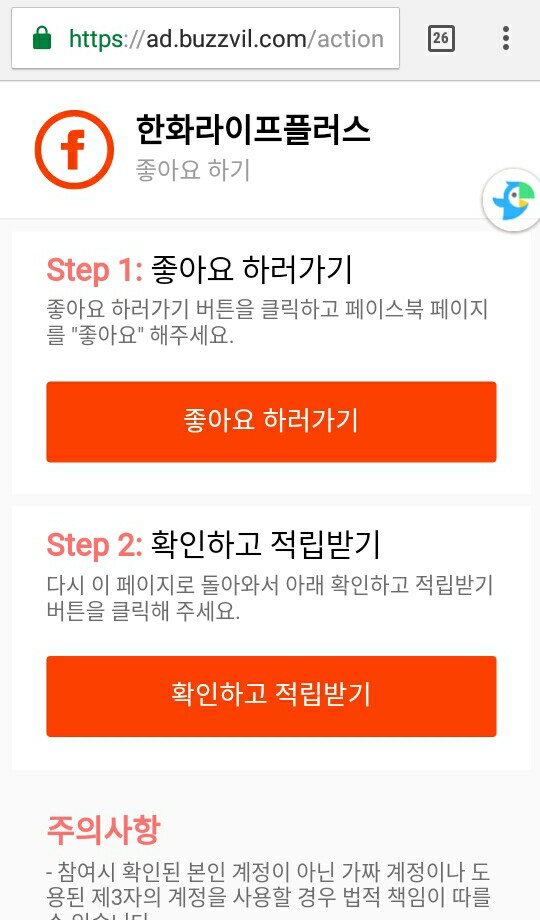
# Like the Facebook page
Step 01: Like the facebook page. Press the red button then like the fb page.
Step 02: Please comeback to this page, then check step 02 and click the red button to earn points.
-----------------------------------------------------------------------------
# If you set it up on Naver, it will be added immediately: subscribe to the Naver channel
Step 01: Press the red button then subscribe the naver channel after logging in to your naver acc.
Step 02: Take a screenshoot of the naver page so you can see if you subscribe to that channel.
Step 03: Submite the screenshoot. Press "Select File" to upload the screenshoot
Step 04: Follow confirmation
If you get "구독 확인 왈료" notice, it means "Subscription confirmation completed". You success to do the mission ✨.
-----------------------------------------------------------------------------
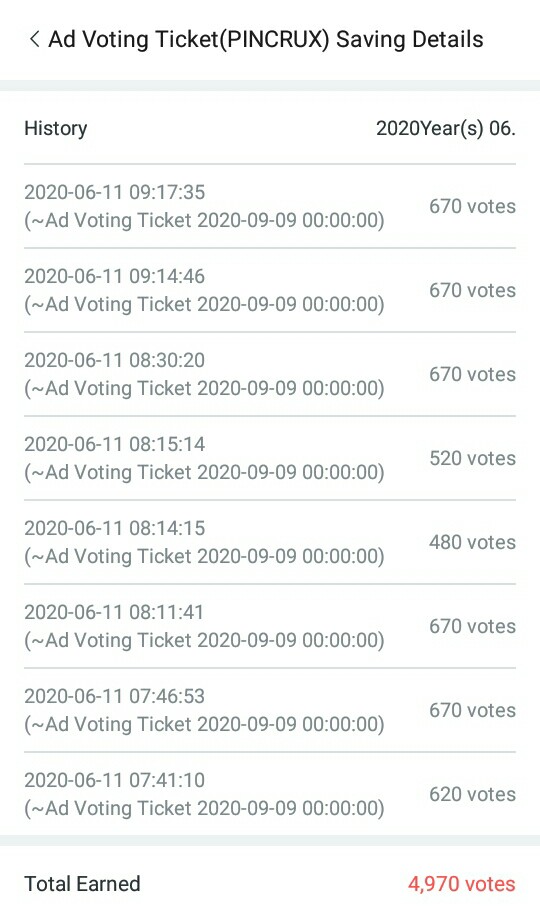
Check the voting tickets you have earned after you successfully do the missions. Go to "Vote" page > Click "Voting Status" > Select "Ad Voting Ticket(PINCRUX)".
Here the example of what I have earned from doing pincrux mission:
I hope you can understand my explanation here. You can ask me on my twitter acc (@maysaftr), if you want to ask more about how to earn fanplus voting ticket. Thank you for read my tutorial 😁.