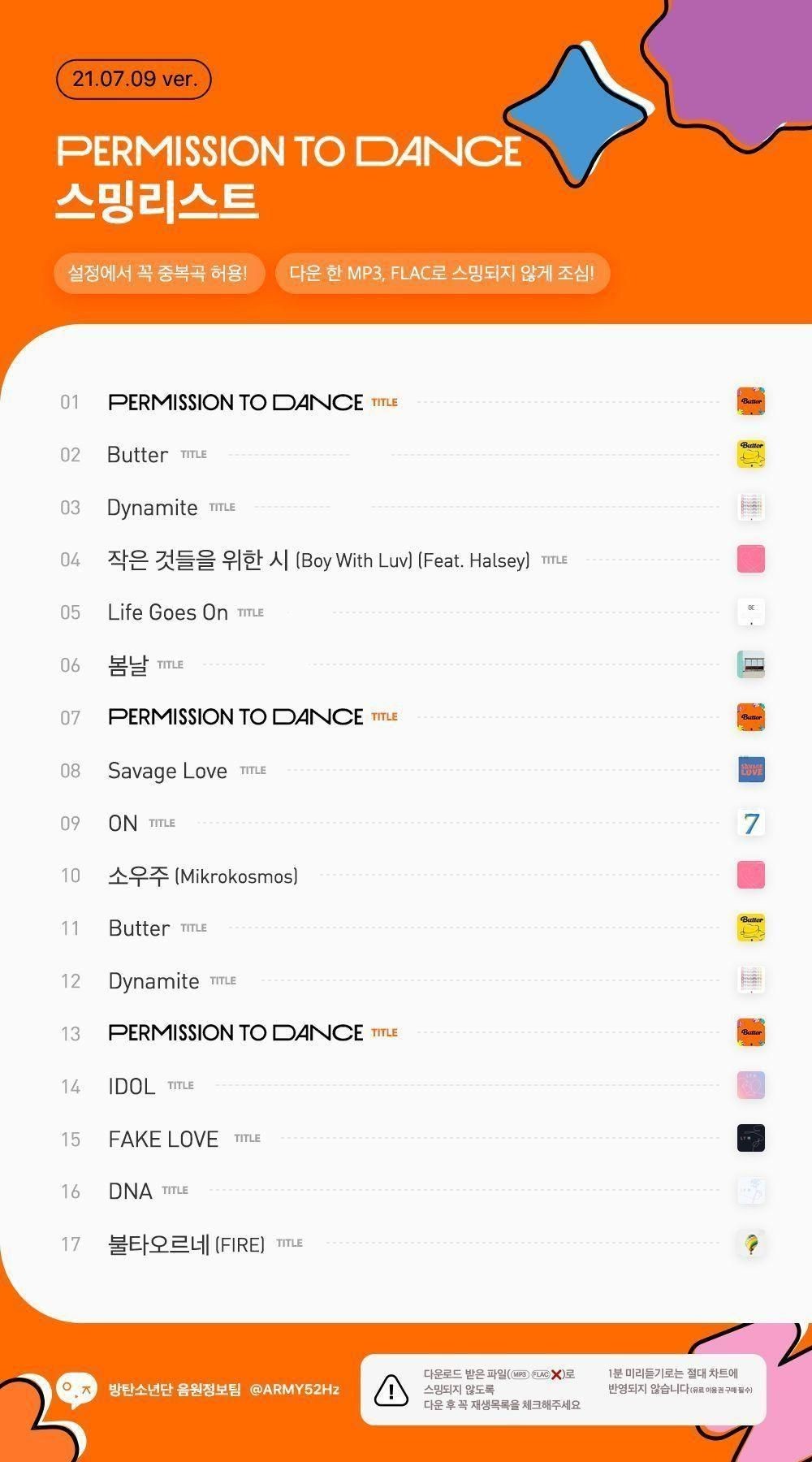
In order to stream, you must follow the streaming list!
Please be aware that if you do not follow the streaming list, your streaming will not be counted.
If you don't do it according to the streaming list, I would rather you not say that you are streaming.
Lips! (Streaming with your mouth only)
Yeols! (streaming hard)
Streamlist!
How to Stream Instructions:
https://m.blog.naver.com/ithopenanum/221324863369
Allow duplicate songs, notification settings are important!
(Blog quote. Source: Blog 'Naself')
(*Same method for Melon, Genie, Bugs, Vibe, and Flo)
I love you, people who breathe!
**First, please download the Permission to Dance sound source.
After deleting the music from your phone
Please stream to the streaming playlist below.
🧈How to stream with Permission to Dance Streamlist:
1. First, delete all the songs that were stored.
2. https://t.co/tr2LOuW0pN
Go to the Bangfly link and click 'Permission to Dance Streaming List'
3. Click the '○○ro' button on the music site you use.
4. Click Add to Playlist
5. Click 🔁 at the bottom left of the song page!
6. Fill in the songs and albums by clicking ♡
Please make sure to receive the streaming list through One Click Streaming List~!
An app that allows you to fine-tune the volume for each app.
sound assistant
https://play.google.com/store/apps/details?id=com.samsung.android.soundassistant
How to use: Individual app volume - button at the bottom right - select the app you want to control individually (Choaedol advertisement, Melon, etc.) - adjust the volume
When streaming from multiple music sites
*If the video stops every time the streaming song changes during Muse:
1. Install the Sound Assistant app
2. In Sound Assistant, press Multi-Sound > Set to All Apps.
-Source of original post: A kind ARMY from Weverse (I think it's rude to reveal my nickname on other websites, so I ask for your understanding.)