
It's been a while since I've written for Cover School, and it's been a while since I've done so. Today, as a bonus feature, I'll be showing you how to transfer fonts from a PC to Ibis Paint, something many of you might be curious about!
-------------------------------------------------------------------
First, download the font that can only be downloaded on a PC (computer).
(Important process)
★Second. Go to Windows and move the downloaded fonts from the local disk C to the Fonts file. Place the downloaded fonts in the Fonts file.★
Third. Log in to Naver, click Write Email (or Write to Me), attach the font as an attachment, and send it by email.
Fourth. Open the email on your phone (you can also open it in the Naver app).

(I opened it with the Naver app!)
Fifth. Open every day you send
Sixth. Download fonts on your phone.

(Why are all my email titles like that..)
Seventh. Open the file

Eighth. Open the Download file
Ninth. Press and hold the received font.
Tenth. Click Share.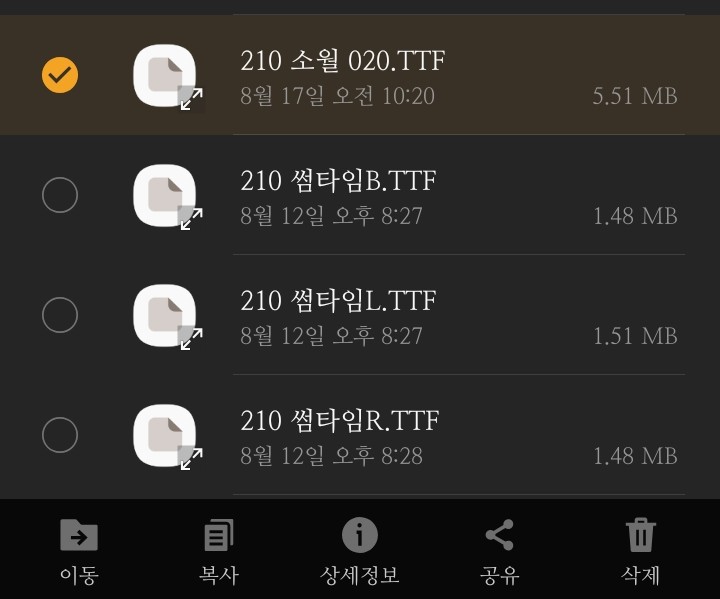
Seventh. Press Ibis Paint X.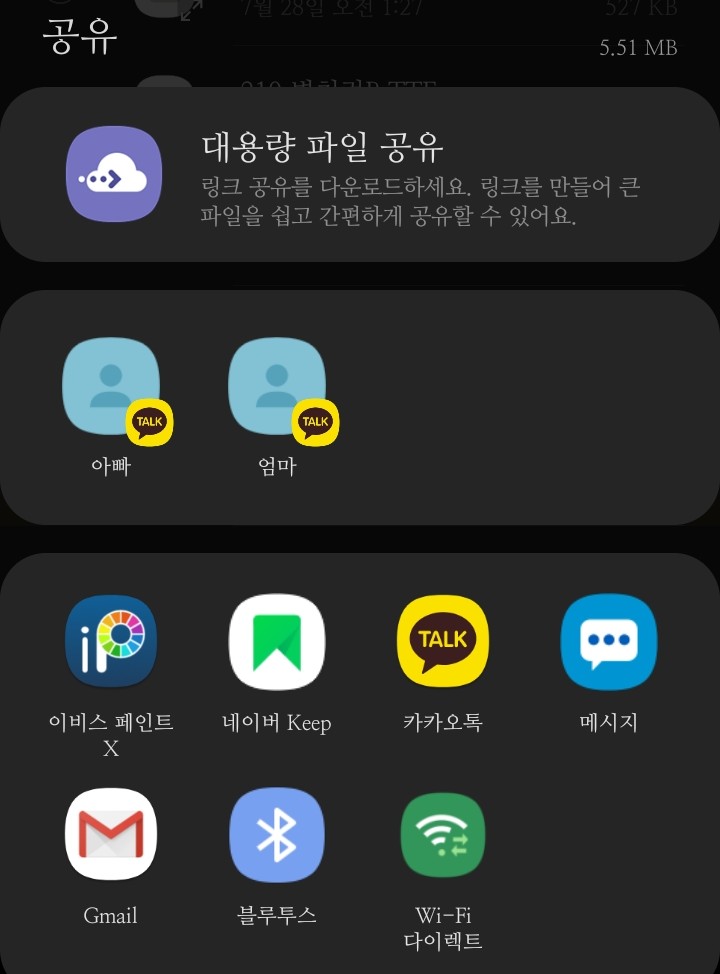
Twelfth. Open Ibis Paint and check that it has been transferred.
*Pixart fonts can be transferred to Picsart- Fonts
-----------------------------------------------------------
Thank you for watching!
Everyone, please become a better Diamond Son than me!