
This is the image you should look for in the mission list:

Click on the orange box, the instructions will appear, and then click on the orange box again.
Instructions will appear:
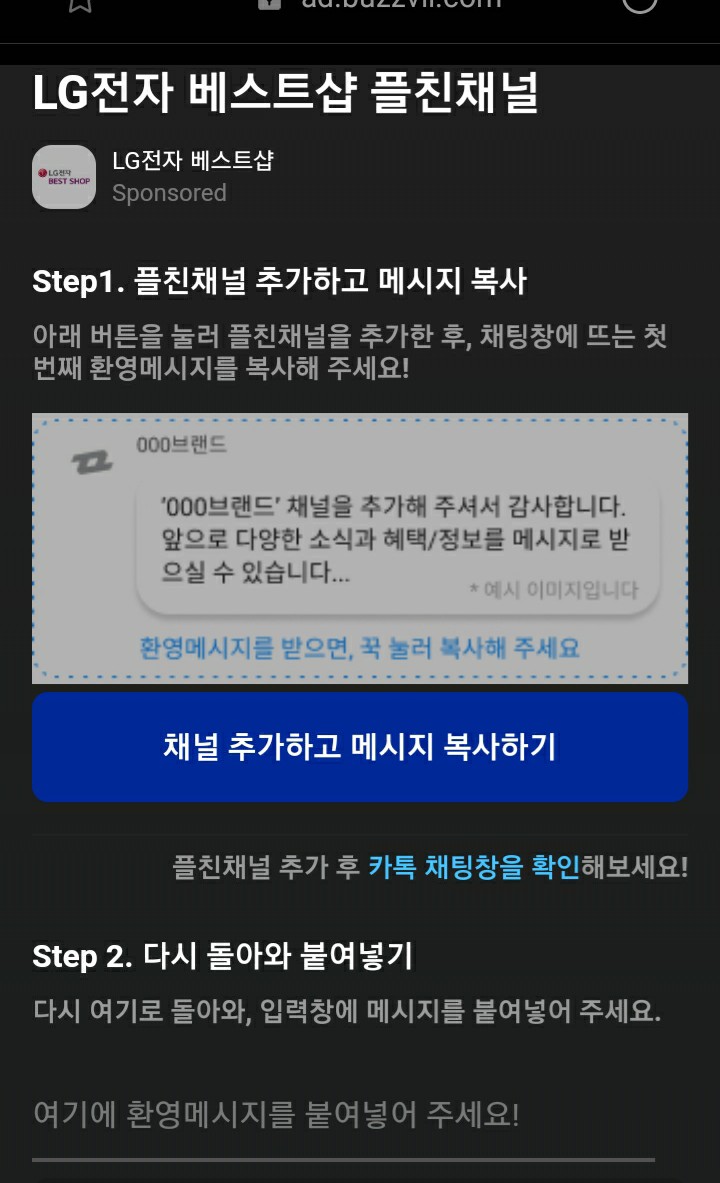
Click on the blue box below the image.
This will take you to the Login page in Kakao Talk.
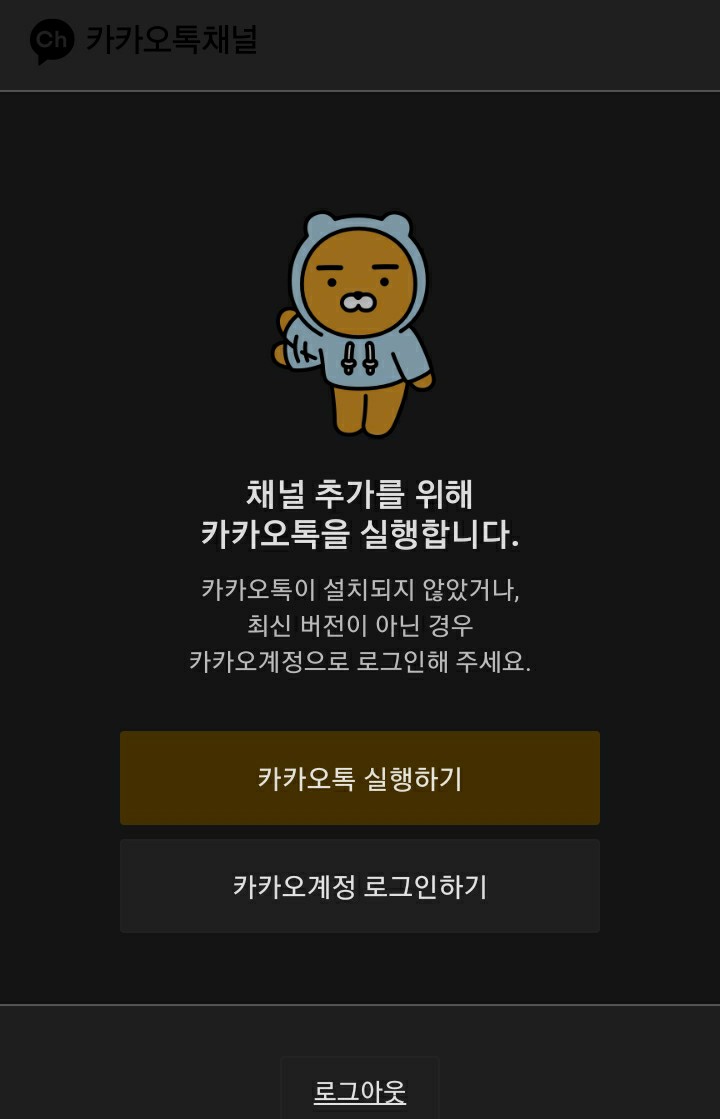
Select the coffee option; this will open the application and take you directly to the account you need to follow.

"Channels added" means you are now following the account.
Then you'll receive a message notification, open it:

Press and hold the white box (the one with the message, which is behind the other white box) until the option to copy text appears.
You already have it on your clipboard > return to the next steps tab:
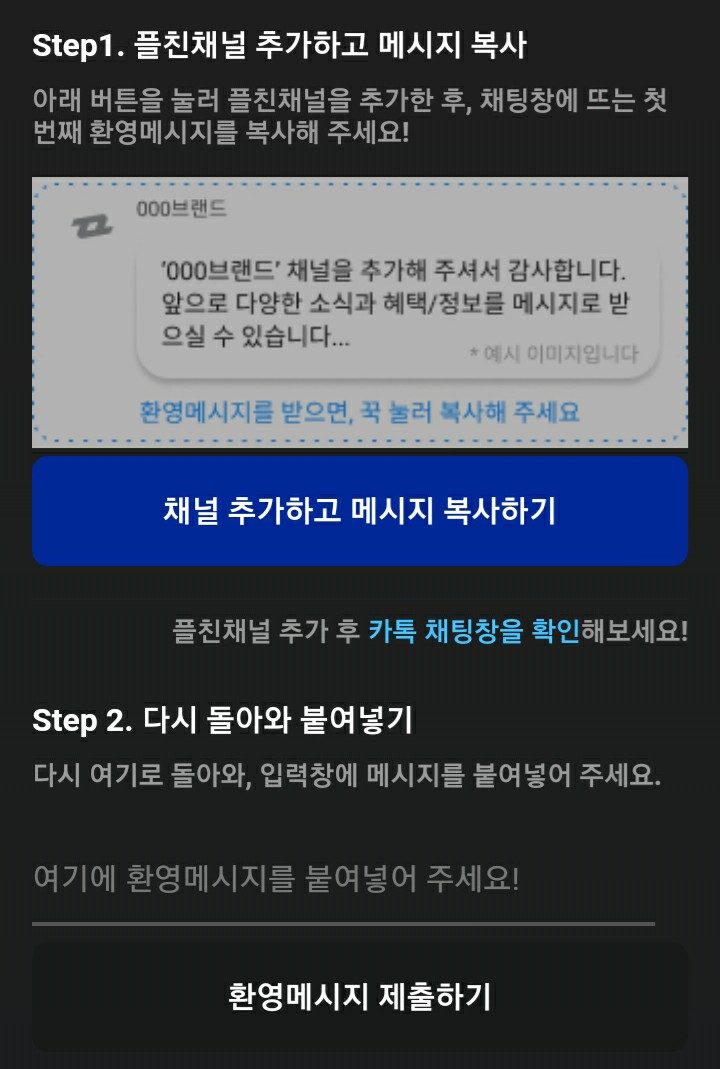
In step two there are three rows of words (we count from the title).
The third is a text box; paste the message you copied earlier there.