
1st go to the PHOTOS section
⬇️

Here you'll see photos of the boys recently uploaded.
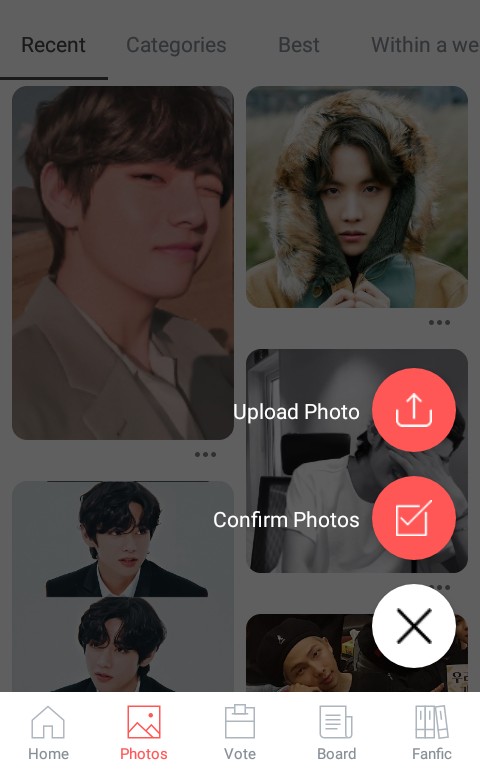
What you're going to do is press the "+" button that appears in the bottom right corner and then click on "Confirm Photos"

They will ask you about 5 easy questions, such as whether the person in the photo is the member or to rate the quality of the photo.
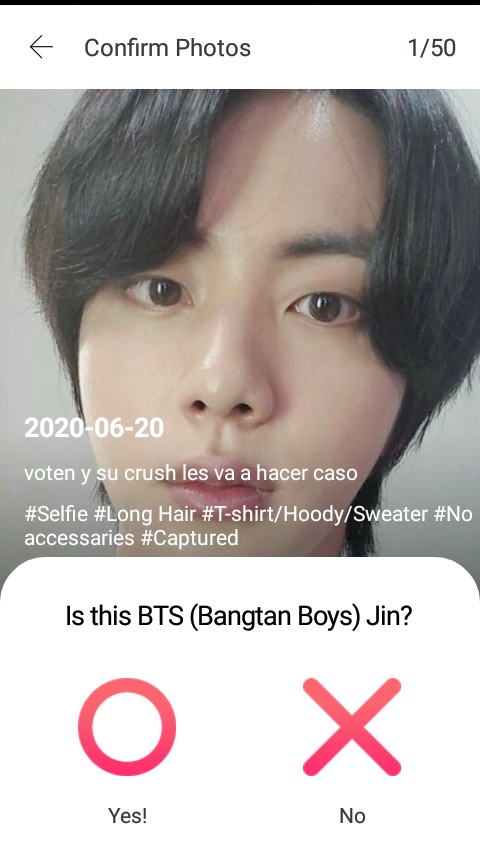
The question is: Is this Jin from BTS?
They're squeezing him
Yes⭕ or No❌
When the question is about photo quality, a 5-number scale will be given.
1️⃣ 2️⃣ 3️⃣ 4️⃣ 5️⃣
"1" is the lowest quality and "5" is the highest quality, you will set it according to the photo I show you.
They'll have to do that with 50 photos
To receive your reward of 100 votes, you need to rate 50 photos. Sometimes there are no photos available to rate, and you have to wait a while for more photos to be uploaded, although you can also upload photos yourself.
This time they're going to give a lesson. Click where it says "Upload Photo." Choose a photo of BTS from your gallery, specify which member it is, add a brief description, and upload it.
To collect their votes after they finish rating the photos, this appears.
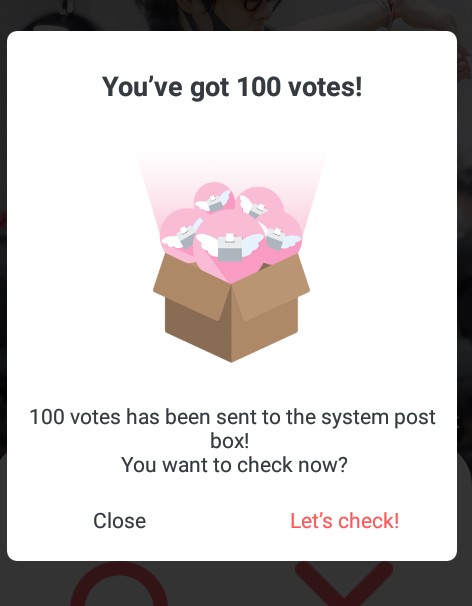
the dan click in Let's Check!And there you have your votes.
Or you can go to the main page and click on the Mail Box section.
Friend's mail are the votes sent by your friends and Admin mail are the votes for rating the photos, go there ⬇️
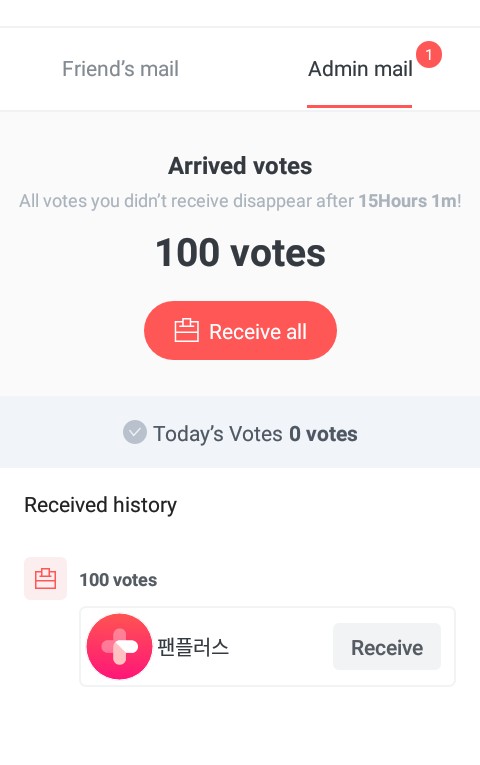
And that's it, you now have your 100 VOTES🗳️
If you have any questions, leave them in the comments.